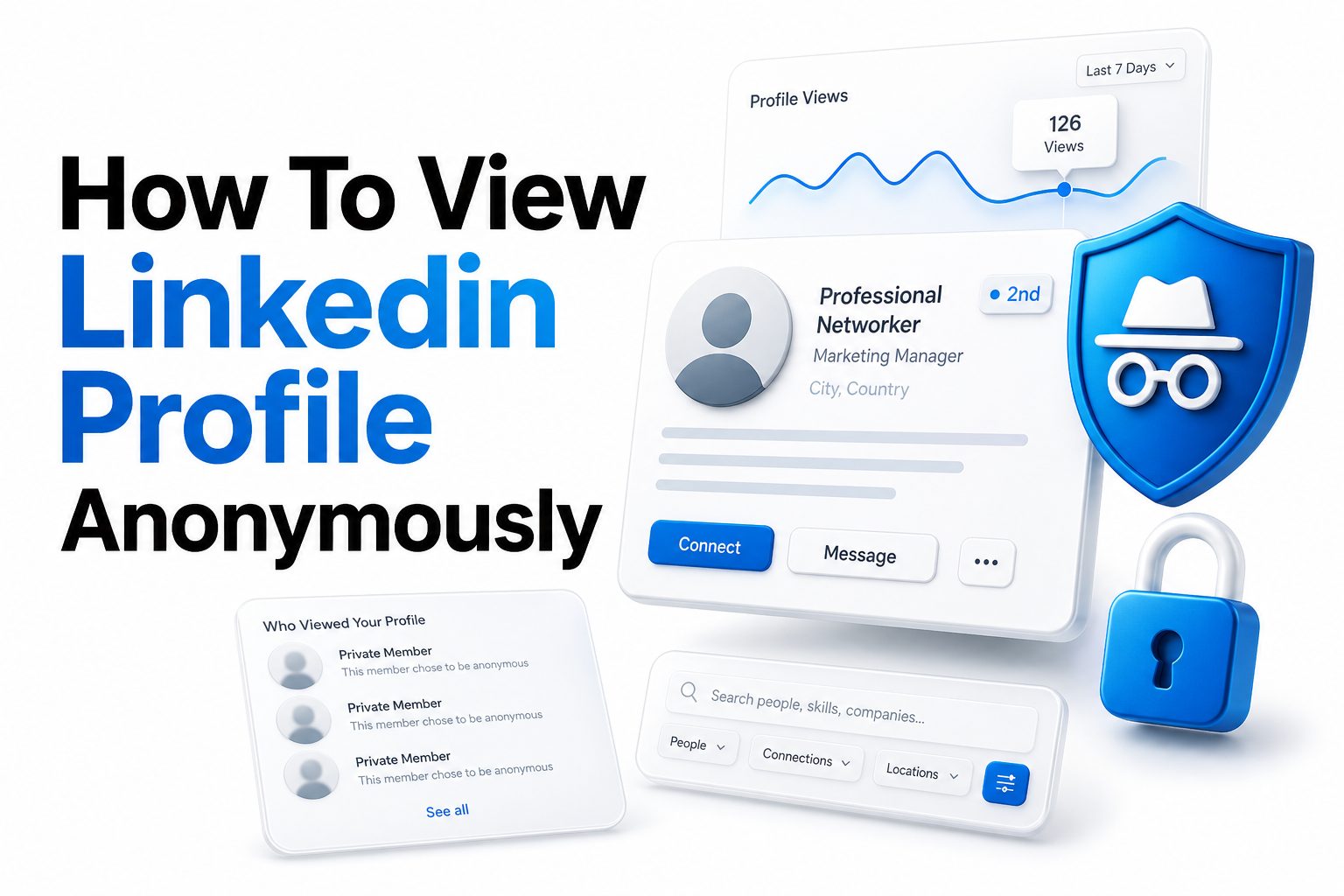
People use LinkedIn for hiring, sales, research, networking, and competitor analysis, but not every profile visit needs to leave your name behind. If you are checking a recruiter, reviewing a possible client, researching a candidate, or comparing industry peers, you may want more control over what others can see. That is where knowing how to view LinkedIn profile anonymously becomes useful.
LinkedIn is built around visibility, so profile views are part of the platform’s networking system. Still, the platform gives users privacy options that let them browse in private mode or limit what information appears when they visit someone’s page. The key is knowing what each setting does, what trade-offs come with it, and how to use anonymous browsing responsibly. This article explains the practical steps, privacy limits, and smart use cases so you can view LinkedIn profiles with confidence and avoid mistakes that may expose your activity.
Why LinkedIn Shows Profile Views
LinkedIn shows profile views because visibility encourages networking. When someone sees that you viewed their profile, they may visit yours, send a connection request, or start a conversation. For recruiters, consultants, and sales professionals, that visibility can create useful business opportunities.
At the same time, public profile views are not always ideal. You may be researching quietly, comparing candidates before outreach, or reviewing someone connected to a sensitive business decision. LinkedIn’s privacy controls exist because users need different levels of visibility depending on their goals.
How LinkedIn Private Mode Works
LinkedIn private mode lets you visit profiles without showing your name, headline, company, or other identifying details. Instead of seeing your profile, the other person may see a generic label such as “LinkedIn Member” or a broad category based on your selected visibility level.
Private mode does not make your activity invisible across all LinkedIn systems. LinkedIn still processes account activity internally, and your browsing remains subject to its terms and privacy policy. Private mode mainly changes what other members can see in their profile view notifications.
Quick Privacy Facts
- Private mode hides your identity from the person whose profile you visit.
- Semi-private mode may show limited details such as job title or industry.
- Public mode shows your name, photo, headline, and profile link.
- Free accounts lose access to detailed viewer history when private mode is enabled.
- Premium accounts may keep more profile view insights, depending on LinkedIn’s current features.
- Private browsing should be used ethically, especially for hiring and business research.
How to Change LinkedIn Profile Viewing Options
To view profiles privately, go to your LinkedIn settings and open your visibility controls. Look for profile viewing options, then choose the level of information you want to share when visiting other people’s profiles. The private mode option gives you the strongest member-facing privacy.
Once selected, the setting applies to future profile visits. It is smart to change the setting before opening the profiles you want to view. If you visit someone first in public mode, switching afterward will not reliably erase what they may have already seen.
Public, Semi-Private, and Private Viewing
Public viewing shows your full identity, including your name, photo, headline, and link to your profile. This is best when you want to be noticed, signal interest, or encourage a professional conversation after visiting someone’s page.
Semi-private viewing shows limited information without showing your exact identity. For example, someone may see that a person in marketing, finance, software, or a certain company type viewed their profile. Private mode goes further by hiding nearly all identifying member-facing details.
Profile Viewing Options Compared
Viewing Mode | What Others See | Best For | Main Trade-Off
Public mode | Your name, photo, headline, and profile | Networking, outreach, recruiting | You are fully visible
Semi-private mode | Limited role or industry details | Light research with some privacy | You may still be partly identifiable
Private mode | Generic anonymous viewer label | Sensitive research or quiet browsing | Viewer insights may be limited
Can You View LinkedIn Profiles Without an Account
Some LinkedIn profiles appear in search engines or public web previews, but the information is usually limited. You may see a name, headline, location, or short profile excerpt, depending on the person’s public profile settings and LinkedIn’s access rules.
Viewing LinkedIn without signing in is not a reliable anonymous research method. LinkedIn often limits repeated public browsing, hides details behind login prompts, and changes public visibility over time. For consistent results, using your account with private mode is usually more practical.
Using Search Engines for Public LinkedIn Results
Search engines may show cached snippets or public profile summaries when you search a person’s name with “LinkedIn.” This can help confirm basic details, such as current role or company, before you decide whether to visit the full profile.
However, search results can be outdated or incomplete. A person may have changed jobs, edited their headline, or restricted public visibility. Treat search engine snippets as a starting point, not a final source for important hiring, legal, or business decisions.
Practical Search Tips
- Search the person’s full name with their company or city.
- Add “LinkedIn” to narrow results to profile pages.
- Compare public snippets with other professional sources.
- Avoid relying on cached details for current employment status.
- Use LinkedIn private mode before opening the full profile.
- Keep notes outside LinkedIn if you are comparing several people.
When Anonymous LinkedIn Viewing Makes Sense
Anonymous viewing is useful when you need space to research before taking action. Recruiters may review a shortlist before contacting candidates. Sales teams may study decision-makers before planning outreach. Job seekers may look at hiring managers or interviewers before a meeting.
It also helps when you are researching competitors, former colleagues, or people connected to sensitive business conversations. The goal is not secrecy for harmful behavior. It is simply giving yourself control over when your interest becomes visible.
When Public Viewing Is Better
Public viewing can be more effective when you want to create a warm signal. If you are prospecting, recruiting, or networking, appearing in someone’s profile views can make your later message feel less sudden. Visibility can support relationship building.
For job seekers, public viewing may also be useful before applying or following up. A recruiter who sees your visit may look at your profile in return. If your profile is polished, public viewing can act as a light-touch introduction.
Best Times to Use Private Mode
- Researching candidates before formal outreach.
- Checking a hiring manager before an interview.
- Reviewing competitors or market peers.
- Looking at former coworkers discreetly.
- Comparing prospects before a sales campaign.
- Studying profiles connected to a confidential project.
Best Times to Use Public Mode
- Starting a networking conversation.
- Signaling interest to a recruiter.
- Warming up a sales prospect before outreach.
- Visiting profiles after sending a connection request.
- Letting a speaker or event attendee notice you.
- Building visibility in your industry niche.
Step-by-Step Guide to Browse Privately
Start by signing in to LinkedIn and opening your settings. Go to visibility, then find the section for profile viewing options. Choose private mode if you want to appear as an anonymous LinkedIn member when visiting other people’s profiles.
After saving the setting, test it by checking the selected option again before browsing. LinkedIn settings can vary slightly by device, app version, or interface update. Taking a few seconds to confirm prevents accidental public visits during sensitive research.
Mobile App Privacy Settings
On the LinkedIn mobile app, tap your profile picture and open settings. Go to visibility, then profile viewing options. Select private mode to hide your name and headline when viewing profiles from your phone or tablet.
Mobile browsing is convenient, but it is also where mistakes happen. Users often tap profiles from notifications, search results, or suggested contacts without checking privacy first. If privacy matters for a session, adjust the setting before searching.
Desktop Privacy Settings
On desktop, click your profile icon, open settings and privacy, then go to visibility. From there, select profile viewing options and choose how you appear to others when viewing their profiles. Private mode is usually listed as the most anonymous choice.
Desktop browsing is better for structured research because it is easier to compare profiles, open notes, and avoid accidental taps. If you are reviewing multiple people, confirm private mode once, then continue your research in the same session.
Private Browsing Checklist
- Open LinkedIn settings before viewing profiles.
- Go to visibility and profile viewing options.
- Select private mode.
- Confirm the setting is saved.
- Avoid clicking profiles before changing the setting.
- Use desktop for careful research when possible.
- Switch back to public mode when visibility helps your goal.
Limits of LinkedIn Anonymous Viewing
Anonymous viewing only changes what the other LinkedIn member sees. It does not turn LinkedIn into a fully private browsing environment. Your account is still logged in, your activity is still governed by LinkedIn rules, and platform systems may still detect behavior patterns.
You should also know that private mode may reduce your own access to profile viewer details. On many LinkedIn account types, choosing private mode means you cannot see full details about people who viewed your profile during that time.
Privacy Is Not the Same as Compliance
If you work in recruiting, legal, finance, healthcare, or enterprise sales, privacy settings do not replace professional obligations. You may still need to follow company policy, data protection rules, hiring procedures, or documentation standards when reviewing profiles.
Anonymous browsing should support careful research, not bypass ethical requirements. For example, recruiters should still use fair evaluation criteria and avoid collecting unnecessary personal details. Business users should avoid scraping, copying, or misusing profile information.
Important Limitations
- Private mode does not hide activity from LinkedIn itself.
- It does not guarantee access to restricted profiles.
- It may limit your own profile view analytics.
- It does not bypass connection or visibility settings.
- It should not be used for spam, scraping, or harassment.
- It does not replace legal or workplace compliance requirements.
How Premium Changes Profile Visibility
LinkedIn Premium often gives users more insight into who viewed their profile, but private mode still changes what other members can see about you. Premium does not automatically make you anonymous; you still need to choose the correct profile viewing option.
Depending on LinkedIn’s current Premium features, private mode may affect how much viewer history you can access. If profile analytics matter to your work, review the trade-off before staying in private mode for long periods.
Should You Use Premium for Private Research
Premium can be useful for recruiters, founders, sales teams, and active job seekers who need deeper search and messaging tools. However, you do not need Premium just to browse anonymously. Private mode is available through LinkedIn’s regular privacy settings.
The real value of Premium depends on your workflow. If you need InMail, broader search filters, or more profile insights, it may be worth considering. For occasional anonymous viewing, the standard privacy option is usually enough.
Free vs Premium Privacy Comparison
Feature | Free LinkedIn | LinkedIn Premium
Private mode access | Usually available | Usually available
Profile viewer insights | Limited, especially in private mode | Often broader, depending on plan
InMail access | Limited or unavailable | Available on many plans
Advanced search | Basic | Expanded on some plans
Best fit | Occasional private browsing | Frequent research and outreach
How to Avoid Accidental Profile Views
The easiest mistake is opening a profile before switching to private mode. LinkedIn suggestions, notifications, emails, and search results can all lead directly to someone’s profile. If your privacy matters, change the setting before clicking anything related to that person.
Another common mistake is switching between devices. If you browse on mobile and desktop, confirm your viewing option on the device you are using. Settings often sync, but relying on assumptions can create avoidable exposure.
Be Careful With Notifications and Emails
LinkedIn emails often include buttons that open profiles directly. If you click from an email while signed in, your current visibility setting may apply immediately. Before clicking, open LinkedIn separately and confirm that private mode is active.
Notifications can work the same way. A connection suggestion, search alert, or profile recommendation may take you straight to a member page. When privacy matters, treat every LinkedIn link as a possible profile visit.
Habits That Reduce Mistakes
- Check your viewing mode before each research session.
- Avoid opening profile links from email before checking settings.
- Use one browser window for LinkedIn research.
- Keep private mode active while reviewing sensitive profiles.
- Switch back to public mode only when you are ready.
- Do not assume mobile and desktop settings are always aligned.
Ethical Ways to View LinkedIn Profiles Anonymously
Using private mode is a normal LinkedIn feature, and there are many legitimate reasons to use it. Ethical use means respecting people’s boundaries, avoiding misuse of personal information, and browsing for a valid professional purpose.
For example, a recruiter can quietly compare candidates before outreach, then contact shortlisted people transparently. A job seeker can review interviewers before a meeting without turning every profile visit into a visible signal. The setting supports discretion, not deception.
What Not to Do
Do not use anonymous browsing to harass, impersonate, scrape data, or build spam lists. These actions can violate LinkedIn’s rules and damage your professional reputation. They may also create legal risk depending on how the information is collected and used.
Avoid excessive profile visits that look automated or suspicious. LinkedIn can restrict accounts for behavior that appears abusive. If your research requires scale, use approved LinkedIn tools, CRM workflows, or compliant data sources rather than manual workarounds.
Ethical Use Checklist
- Have a clear professional reason for browsing.
- Collect only information you actually need.
- Avoid copying personal details into unapproved tools.
- Do not use anonymous viewing for repeated unwanted contact.
- Follow company hiring and sales policies.
- Use public outreach when you are ready to engage.
- Respect LinkedIn’s terms and member expectations.
How Anonymous Viewing Helps Job Seekers
Job seekers often use LinkedIn to research recruiters, hiring managers, interview panels, and employees at target companies. Private mode lets them prepare without making every visit visible, which can be useful during early research or confidential job searches.
Once you are ready to engage, public visibility may work better. Viewing a recruiter’s profile publicly before sending a thoughtful connection request can create recognition. The best approach is to use private mode for research and public mode for intentional networking.
Research Before Interviews
Before an interview, reviewing profiles can help you learn about roles, career paths, team structure, and shared professional interests. You might notice a recent promotion, a common certification, or a company initiative worth mentioning naturally in conversation.
Keep the research professional. Focus on work history, responsibilities, published posts, and company context. Avoid overusing personal details in interviews, because it can feel uncomfortable. Good research helps you ask sharper questions and show genuine preparation.
Job Seeker Tips
- Use private mode during early company research.
- Review recruiters before applying or following up.
- Check interviewers for role context and shared topics.
- Switch to public mode when strategic visibility helps.
- Update your own profile before visible browsing.
- Save relevant notes in a private job search tracker.
How Recruiters and Hiring Teams Can Use Private Mode
Recruiters may use private mode while building an initial candidate list. This prevents early profile visits from creating confusion before the recruiter is ready to reach out. It also helps hiring teams review profiles consistently before narrowing a search.
However, private mode should not replace transparent communication once outreach begins. Candidates deserve clear information about the role, company, and reason for contact. Anonymous browsing is useful for preparation, while professional messaging is still essential.
Fair Hiring Considerations
Hiring teams should be careful about what they evaluate on LinkedIn. Work history, skills, certifications, recommendations, and public professional activity may be relevant. Personal characteristics unrelated to job performance should not influence hiring decisions.
For a deeper look at ethical candidate research, read our LinkedIn recruitment best practices guide. A consistent process protects candidates and helps employers make better decisions based on qualifications rather than casual impressions.
Recruiter Best Practices
- Use private mode during early sourcing.
- Define selection criteria before reviewing profiles.
- Keep notes focused on job-related qualifications.
- Avoid sensitive personal information.
- Be transparent when contacting candidates.
- Document outreach and decisions consistently.
- Follow local employment and privacy rules.
How Sales Professionals Can Browse Privately
Sales teams often research prospects before outreach. Private mode can help representatives study company roles, reporting lines, recent posts, and shared connections before deciding whether a lead is worth contacting.
That said, public viewing can also be a useful sales signal. If your profile is credible and your offer is relevant, a visible profile visit may warm up a prospect before a message. The right choice depends on timing and intent.
Building Better Outreach
Private research should lead to more relevant communication. Instead of sending a generic pitch, use profile details to understand the person’s role, likely priorities, and business context. The goal is relevance, not over-familiarity.
Avoid mentioning every detail you found. A message that feels too researched can make people uneasy. Use your research to frame the problem clearly, then keep the outreach concise, professional, and useful.
Sales Research Tips
- Use private mode while qualifying prospects.
- Look for role responsibilities and recent company changes.
- Check shared connections before requesting an introduction.
- Switch to public mode when visibility supports outreach.
- Personalize messages without sounding invasive.
- Track research in your CRM according to company policy.
Common Myths About Viewing LinkedIn Anonymously
One common myth is that private mode lets you browse without any trace. That is not accurate. It hides your identity from other members, but LinkedIn still operates the platform and enforces account rules.
Another myth is that you need third-party tools to view profiles anonymously. In most cases, you do not. LinkedIn’s own profile viewing options are safer and more reliable than browser extensions or unofficial services that may compromise your account.
Third-Party Viewer Tools Are Risky
Some websites claim they can show LinkedIn profiles anonymously or bypass LinkedIn visibility limits. These tools may ask for login details, automate scraping, or violate LinkedIn’s terms. Using them can put your account and data at risk.
Stick with LinkedIn’s built-in privacy settings. They are simple, account-based, and designed for this exact purpose. If a tool promises hidden access beyond normal LinkedIn controls, treat that promise with skepticism.
Myth vs Reality
Myth | Reality
Private mode hides you from everyone | It hides you from other members, not LinkedIn systems
You need Premium to browse anonymously | Standard privacy settings usually include private mode
Third-party tools are better | They may create security and policy risks
Private mode improves outreach | It helps research, but public visibility can support outreach
Anonymous viewing is always best | The best mode depends on your goal
How to Strengthen Your Own LinkedIn Privacy
Viewing other profiles anonymously is only one part of LinkedIn privacy. You should also check how your own profile appears to others, who can see your connections, and whether your profile is visible outside LinkedIn.
Review your public profile settings and decide which sections should appear in search engines. If you are job searching discreetly, also review activity broadcasts, profile update visibility, and connection privacy. Small settings can make a big difference.
Manage Your Public Profile
Your public profile may appear in search engines depending on your settings. You can often control whether your photo, headline, experience, education, and other sections are visible to people who are not signed in.
If privacy is a priority, limit public visibility while keeping enough information for credibility. For more help, see our guide to LinkedIn profile privacy settings. Strong privacy controls help you manage both browsing and being found.
Profile Privacy Checklist
- Review public profile visibility.
- Control who can see your connections.
- Check whether profile updates notify your network.
- Limit personal contact details.
- Review who can see your last name.
- Check email and phone discovery settings.
- Update privacy settings after major career changes.
Conclusion
LinkedIn gives users practical tools to control how they appear when visiting other people’s profiles. Public mode is useful for networking and outreach, semi-private mode offers limited discretion, and private mode provides the strongest member-facing anonymity. The right setting depends on whether you want to be noticed or simply gather information before taking action.
The safest approach is to change your profile viewing option before you start researching, confirm the setting on the device you are using, and avoid third-party tools that promise hidden access. Use private browsing for legitimate professional reasons, such as job research, recruiting, sales preparation, or competitor analysis. When it is time to connect, switch back to a visible and polished profile if that supports your goal. Knowing how to view LinkedIn profile anonymously helps you browse with more control while staying professional and respectful.
FAQ
Can you view LinkedIn profiles anonymously?
Yes, LinkedIn allows anonymous profile viewing through private mode. You can change this in your visibility settings. Once enabled, other members usually see a generic anonymous viewer label instead of your name and headline.
Will someone know if I viewed their LinkedIn in private mode?
They may know that someone viewed their profile, but they should not see your identity. Private mode hides member-facing details such as your name, photo, headline, and direct profile link.
Do I need LinkedIn Premium to browse anonymously?
No, you usually do not need Premium to use private mode. Premium may offer more profile analytics and outreach tools, but anonymous viewing is handled through LinkedIn’s standard visibility settings.
Can I switch back after viewing profiles privately?
Yes, you can switch back to public mode whenever you want. The change applies to future profile visits, so always choose the correct setting before opening profiles that require privacy.
Is anonymous LinkedIn viewing safe?
Using LinkedIn’s built-in private mode is generally safe. Avoid third-party viewer tools, login-sharing services, or scraping software, because they can violate LinkedIn rules and may put your account at risk.
0 Comments