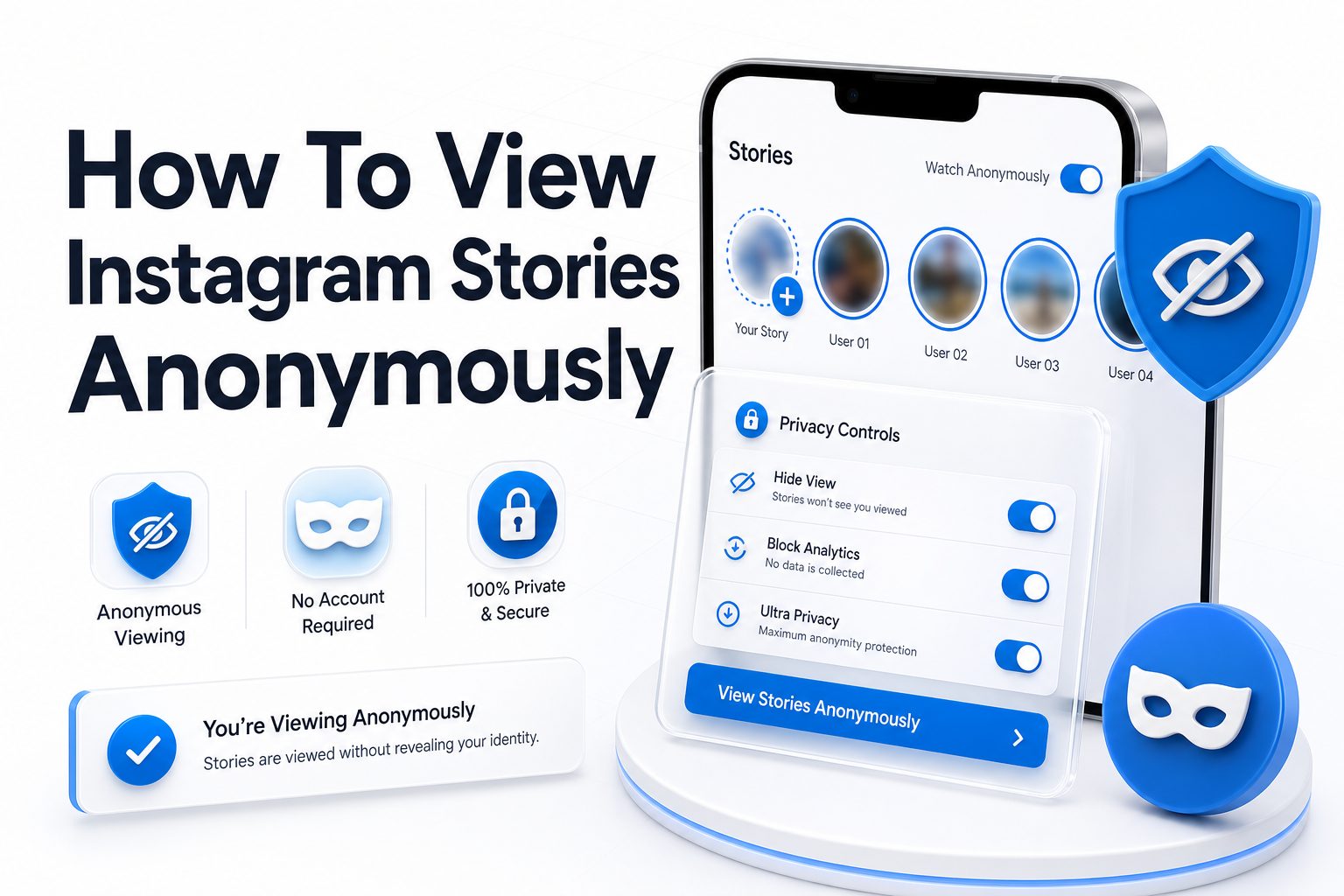
Instagram Stories are designed to show creators exactly who viewed their content. For casual users, that can feel a little too visible, especially when checking a public profile, researching a brand, reviewing competitor content, or simply keeping personal browsing private. That is why many people search for how to view instagram stories anonymously without creating awkward social signals.
The important part is knowing what is realistic, safe, and respectful. Some methods work only for public accounts, while others come with privacy, security, or account-safety risks. This article breaks down practical options, explains their limits, and helps you avoid questionable tools that ask for logins or personal data.
Why Instagram Story Views Are Visible
Instagram Stories are built around temporary engagement. When someone posts a story, Instagram shows them a list of accounts that viewed it. This feature helps creators measure interest, track reach, and see who regularly interacts with their updates.
That visibility also means every tap can leave a trace. Unlike viewing a regular public profile grid, opening a story usually adds your account to the viewer list. If you want privacy, you need to plan before opening the story directly.
When Anonymous Story Viewing Makes Sense
There are legitimate reasons to keep story viewing private. A marketer may want to review competitor campaigns, a journalist may monitor public activity, or a user may want to avoid unnecessary social pressure while checking public content.
Privacy should not be confused with harassment, impersonation, or bypassing someone’s boundaries. Anonymous viewing is safest and most appropriate when it relates to public accounts, public-facing content, and normal browsing behavior.
Quick reasons people prefer private story browsing
- Reviewing public brand or influencer content without creating engagement signals
- Checking competitor posts for marketing research
- Avoiding awkward personal assumptions from a story view
- Keeping browsing habits separate from a main Instagram account
- Looking at public content without using your personal profile
- Reducing unnecessary digital traces during casual research
How Instagram Tracks Story Viewers
Instagram tracks story views through logged-in account activity. When you open a story while signed into your account, Instagram associates that view with your profile and adds it to the poster’s viewer list.
The viewer list is usually visible while the story is live and for a limited period after it expires through the account owner’s archive insights. This makes direct viewing the least private option if your goal is anonymity.
Public Accounts Versus Private Accounts
Public accounts are visible to anyone on Instagram, and their stories may sometimes be accessible through third-party viewers or search-based tools. These methods generally depend on the account being public and the story being available at that moment.
Private accounts work differently. If an account is private, only approved followers can see its stories. Any tool claiming to show private Instagram Stories without permission should be treated as suspicious and avoided.
Anonymous Story Viewing Comparison
Method | Works For | Privacy Level | Main Risk
Secondary Instagram account | Public and approved private accounts | Medium | Can still be identifiable if poorly managed
Airplane mode method | Stories preloaded in app | Low to medium | Inconsistent and may still register
Third-party story viewers | Public accounts only | Medium to high | Security and reliability concerns
Browser without login | Limited public content | Medium | Often blocked or incomplete
Asking someone else | Depends on access | Low to medium | Not truly private or controlled
Use a Secondary Instagram Account
A secondary account is one of the most common ways to view Instagram Stories without using your main identity. It can be useful for separating personal browsing from research, brand monitoring, or casual public profile checks.
However, the account itself is not invisible. If you view a story from that profile, the account may still appear in the viewer list. Use a neutral profile, avoid impersonation, and keep the account compliant with Instagram’s rules.
Set Up the Account Carefully
Choose a username that does not reveal your name, business, workplace, or personal details. Avoid profile photos, bios, or linked contacts that could connect the account back to your main identity.
Do not follow people aggressively, send unwanted messages, or use the account for anything deceptive. A secondary profile should be a privacy boundary, not a tool for misleading other users.
Use Third-Party Instagram Story Viewers Carefully
Some websites allow users to view public Instagram Stories by entering a username. These tools typically work only with public profiles and do not require you to log into your own Instagram account.
The quality and safety of these services vary widely. Many are unreliable, overloaded with ads, or designed to collect data. Never enter your Instagram password into a third-party story viewer, even if the site claims it is required.
Red flags to avoid with third-party viewers
- The site asks for your Instagram username and password
- It claims to show private account stories without approval
- It forces downloads, browser extensions, or APK files
- It displays aggressive pop-ups or fake security warnings
- It promises follower tracking, password recovery, or profile hacking
- It has no privacy policy, contact information, or clear ownership details
Try the Airplane Mode Method
The airplane mode method is often mentioned in privacy discussions. The idea is to open Instagram, let stories preload, turn on airplane mode, view the story offline, then close the app before reconnecting.
This method is inconsistent because Instagram changes how content loads and syncs. It may work in limited situations, but it can also register your view once the app reconnects. Treat it as unreliable rather than a guaranteed anonymous option.
How to Reduce the Risk
If you test this method, open Instagram first and wait for the stories at the top of the app to load. Then enable airplane mode, view only preloaded content, close the app fully, and clear it from recent apps before reconnecting.
Even with those steps, there is no guarantee. Instagram may cache activity and sync later. For users who need dependable privacy, a safer public-story viewer or separate account is usually more practical.
View Public Stories Without Logging In
Sometimes public Instagram content can be viewed from a browser without logging in, especially when using a direct profile URL. This depends on Instagram’s current access limits, location, device, and whether the platform blocks the session.
Story access without login is more limited than profile browsing. Instagram often pushes users toward the app or login screen, so this method may not work consistently for stories. It is best seen as a quick option, not a reliable system.
When Browser Viewing Helps
Browser viewing may help when you only need to confirm whether a public account is active, see profile highlights, or check visible public posts. It is less useful for fresh story updates that require interactive loading.
If you regularly research Instagram content for work, keep a simple process. Use public data, avoid logging into risky services, and bookmark reliable sources. For broader privacy habits, see [Internal Link: social media privacy tips].
Use Instagram Highlights Instead of Live Stories
Highlights are saved story collections that appear on a profile after the original 24-hour story window ends. Depending on how Instagram handles visibility, highlights may still show viewers, but behavior can differ from live story viewing over time.
For public accounts, highlights can sometimes provide the same information without the urgency of watching a live story. Brands, creators, and businesses often save important promotions, FAQs, events, and product updates in highlights.
Why Highlights Are Useful for Research
Highlights are organized by topic, which makes them easier to review than daily stories. A restaurant may save menus, a creator may save partnerships, and a brand may save launches or testimonials.
If your goal is market research rather than immediate viewing, highlights often provide better context. They also reduce the need to repeatedly check live stories from your personal account.
Practical tips for safer anonymous browsing
- Use methods only for public-facing content
- Avoid tools that request your Instagram login
- Keep research activity separate from personal browsing
- Do not rely on airplane mode for sensitive situations
- Never pay for tools claiming access to private accounts
- Clear browser cookies if testing public web viewers
- Use strong passwords and two-factor authentication on your Instagram account
Check Story Content Through Public Reposts
Many public Instagram Stories are reposted elsewhere. Creators may share the same updates on TikTok, Facebook, YouTube Shorts, X, newsletters, or their websites. Brands often reuse campaign content across multiple channels.
Checking those channels can give you the same information without opening the Instagram Story directly. This is especially useful for public figures, businesses, influencers, and events that distribute updates across several platforms.
Search Brand and Creator Channels
Start with the person’s or company’s official website, then check linked social profiles. Public campaigns usually leave a wider trail than a single Instagram Story, especially when promotions, announcements, or product launches are involved.
For business research, this approach is often more reliable than anonymous story viewing. It gives you screenshots, captions, dates, and public context without depending on fragile Instagram viewer tools.
Avoid Private Story Viewer Claims
Any tool that promises to show private Instagram Stories without following the account should raise concern. Private content is restricted by design, and bypassing that restriction may violate privacy, platform rules, or local laws.
Most of these tools do not work as advertised. They commonly lead to surveys, malware, phishing pages, or fake login screens. The safest choice is simple: do not use services that claim private access without permission.
Respect Consent and Boundaries
If someone has made an account private, they have chosen a smaller audience. Trying to work around that choice crosses a line, even if the tool appears easy to use.
For professional research, stay with public information. For personal situations, consider whether viewing the content privately is necessary. Privacy tools should protect your browsing, not override someone else’s limits.
Safe Versus Risky Methods
Safer methods
- Viewing public stories through reputable no-login viewers
- Using a neutral secondary account for public research
- Checking official reposts on other platforms
- Reviewing saved highlights on public profiles
- Using browser access for public profile information
Risky methods
- Entering your Instagram password on third-party websites
- Downloading unknown story viewer apps
- Using tools that promise private account access
- Installing suspicious browser extensions
- Paying for anonymous viewer services with unclear ownership
Can People Tell If You Screenshot a Story
Instagram generally does not notify users when someone screenshots a regular story. However, platform features can change, and different types of content may have different privacy behavior.
Even when screenshots are not reported, you should still be thoughtful. Saving someone’s content can create privacy concerns, especially if it includes personal details, children, private locations, or sensitive situations.
Screenshots for Work and Research
If you need screenshots for professional analysis, store them responsibly and avoid sharing them outside the intended context. Use them for internal notes, campaign tracking, or content review rather than public reposting.
When quoting or referencing a creator’s content, credit matters. For brand monitoring, record the account name, date, and campaign context. This keeps your research organized and reduces confusion later.
Common mistakes to avoid
- Opening the story directly before choosing a privacy method
- Assuming airplane mode always hides your view
- Using a personal secondary account with obvious identifying details
- Trusting tools that promise access to private stories
- Logging into Instagram through unfamiliar websites
- Ignoring privacy laws when collecting content for business use
- Saving sensitive screenshots without a clear reason
How Anonymous Instagram Story Viewers Work
Most anonymous viewers scrape or access publicly available story data from public Instagram profiles. You enter a username, and the site attempts to display current stories, highlights, or downloadable media.
These services are limited by Instagram’s technical restrictions. They may stop working, show outdated content, or fail when Instagram changes access rules. A viewer that works today may not work tomorrow.
Why Some Viewers Fail
Anonymous viewers often depend on temporary access routes. If Instagram blocks requests, changes page structure, or limits public data, the tool may return errors or blank results.
Some viewers also struggle with high traffic, regional blocking, or usernames that have recently changed. If a viewer fails, it does not always mean the account has no active story.
Best Practices for Marketers and Researchers
For marketers, anonymous viewing should be part of a broader research workflow. Track public posts, ads, website updates, email campaigns, and other social channels instead of relying only on Instagram Stories.
Keep notes consistent. Record what was posted, when it appeared, the creative angle, the offer, and the call to action. This turns casual viewing into useful competitive intelligence.
Create a Repeatable Research System
Build a simple spreadsheet with account names, campaign themes, posting frequency, story formats, and links to related public assets. This helps you spot patterns without constantly checking from your main profile.
You can also use approved social listening tools for brand mentions and public engagement trends. For more structured planning, see [Internal Link: Instagram marketing strategy].
Research workflow checklist
- List public accounts relevant to your niche
- Decide which accounts need regular monitoring
- Use a secondary account or public viewer where appropriate
- Check highlights, websites, and other social platforms
- Record dates, offers, formats, and creative themes
- Avoid collecting private or sensitive personal information
- Review findings weekly instead of reacting to every story
Account Safety Tips Before Using Any Tool
Your Instagram account is more valuable than a single anonymous view. Before using any external service, check whether it asks for login credentials, payment details, downloads, or browser permissions.
Use two-factor authentication on your Instagram account and avoid reusing passwords. If you already entered your login on a questionable website, change your password immediately and review active sessions in Instagram settings.
Protect Your Device and Data
Unknown apps and extensions can expose more than your Instagram activity. They may track browsing, inject ads, or collect personal information from your device.
Stick to browser-based tools that do not require installation. If a service looks suspicious, close it. A missed story is better than a compromised account, stolen password, or infected device.
Legal and Ethical Considerations
Viewing public content is generally different from accessing private content. Public stories are posted for a broad audience, while private stories are limited to approved followers. That distinction matters for both ethics and risk.
If you are using story content for reporting, business analysis, or legal documentation, be careful with storage and sharing. Laws vary by location, especially around personal data, screenshots, and commercial use.
Use Common Sense With Sensitive Content
Do not collect, share, or republish content that exposes private addresses, medical details, children, or vulnerable individuals. Even public stories can include information that deserves careful handling.
When in doubt, use less data. Note the public campaign theme or message rather than saving the full story. This is often enough for analysis without creating unnecessary privacy concerns.
Important facts about anonymous story viewing
- Direct story views from your logged-in account usually appear to the creator
- Anonymous viewers generally work only with public accounts
- Private story viewer tools are often scams or phishing attempts
- Airplane mode is not a dependable privacy method
- A secondary account may still appear in the viewer list
- Public reposts can provide the same information with less risk
- Account security should come before convenience
The Most Reliable Way to Stay Private
The most reliable method depends on what you are trying to view. For public accounts, a reputable no-login viewer or secondary account may be enough. For business research, checking reposts and highlights may be cleaner.
For private accounts, there is no ethical shortcut. You either need approved access or you should leave the content alone. Any service promising otherwise is not worth the risk.
Choosing the Right Method
If the situation is casual, avoid overcomplicating it. Use a browser, check highlights, or skip the story. If the situation is professional, create a repeatable research workflow and document public information consistently.
The goal is not to hide at all costs. The better goal is to browse with reasonable privacy while respecting platform rules, other users, and your own account security.
Conclusion
Learning how to view instagram stories anonymously is mostly about choosing a method that fits the situation without putting your account or someone else’s privacy at risk. Public stories offer more options, including no-login viewers, secondary accounts, browser checks, highlights, and reposts on other platforms. Private stories are different because they are meant for approved viewers only.
The safest approach is to avoid tools that ask for your password, promise private account access, or require suspicious downloads. For casual browsing, use low-risk methods and accept that some techniques are inconsistent. For marketing or research, build a simple process around public information, notes, and cross-platform checks. Anonymous viewing can be useful, but it should stay practical, ethical, and secure. Your privacy matters, and so does the boundary set by the person posting the content.
FAQ
Can I view Instagram Stories anonymously without an account?
Sometimes, but only for public accounts and only when Instagram or a third-party viewer allows access. Many public profiles still require login, and story access can be blocked or inconsistent depending on Instagram’s current limits.
Do anonymous Instagram Story viewers really work?
Some work for public accounts, but reliability varies. They may fail when Instagram changes access rules or blocks requests. Avoid any viewer that asks for your password, requests downloads, or claims it can show private stories.
Will airplane mode hide my Instagram Story view?
Airplane mode may work in limited cases when stories are already preloaded, but it is not dependable. Instagram can sync activity later when you reconnect, so it should not be treated as a guaranteed anonymous method.
Can someone see if I viewed their highlights?
Instagram may show highlight viewers for a limited time, especially when the highlight contains recently posted story content. Older highlight viewer data may be less visible, but behavior can vary, so avoid assuming full privacy.
Is it safe to use a second account?
A second account can help separate browsing from your main identity, but it is not invisible. The account may still appear in viewer lists, so keep it neutral, avoid impersonation, and follow Instagram’s rules.
0 Comments